Your tape's in the truck. Your phone isn't.
SiteCalc's AR measurement lets you point your camera at a wall, a window, a beam, tap two endpoints, and get a distance. Feet, inches, decimal, metric. All at once. Then feed that number right into whatever calculator you're using.
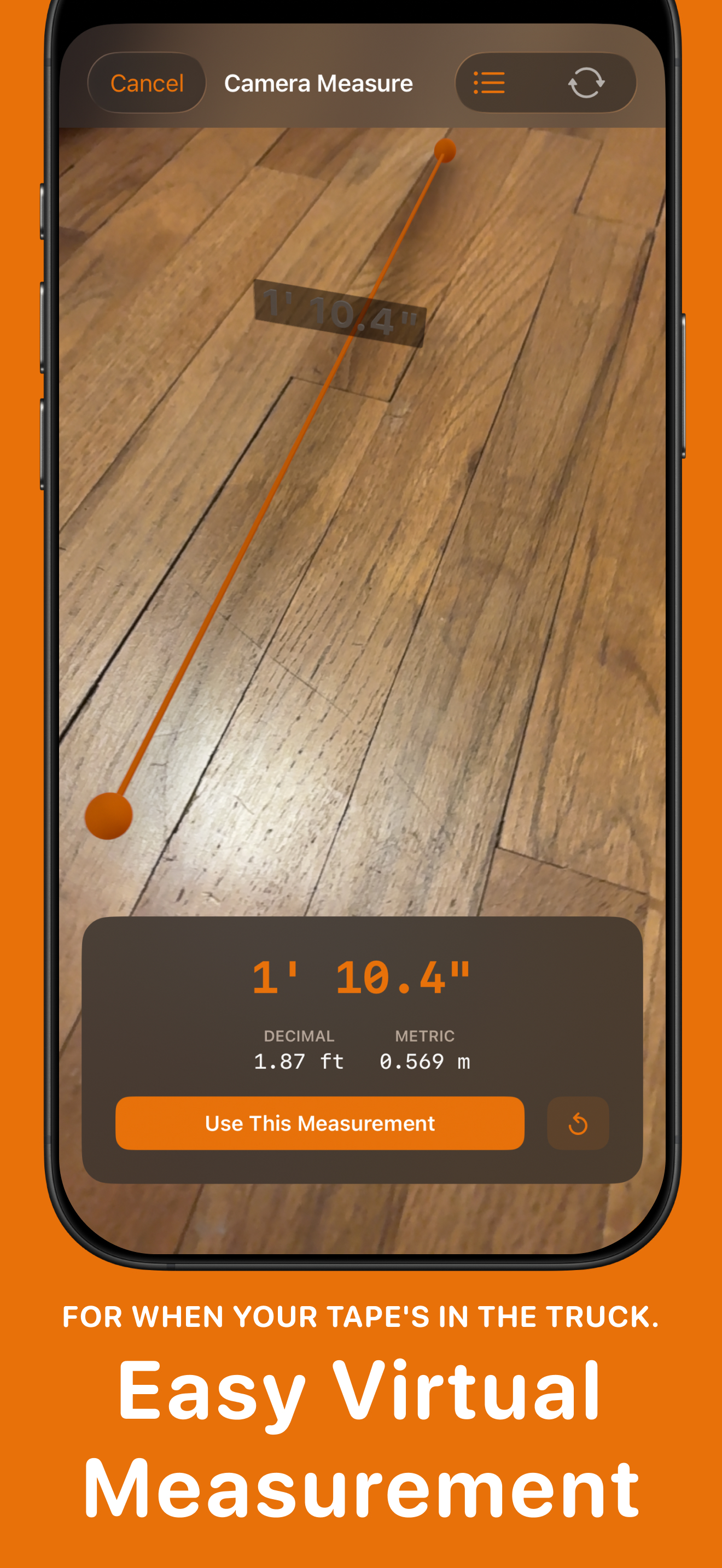
Point. Tap. Measure.
Open the camera tool, aim at a surface, and tap your start and end points. SiteCalc uses ARKit to calculate the distance. You'll see the measurement in four formats simultaneously so you don't have to convert anything in your head.
A "Use This Measurement" button sits right below the result. Tap it, and the number drops into whatever input field you came from. No retyping.
Good for rough numbers
AR measurement on a phone is accurate to about half an inch on flat surfaces in good lighting. That's close enough for estimating material quantities, checking rough dimensions, or getting a ballpark when you're still in the planning stage.
It won't replace your tape for framing or finish work. But when you're standing in the supply house trying to remember how wide that opening was, it's a lot better than guessing.
Feeds into any calculator
The measurement tool connects directly to all 85 calculators. Measure a room's width, send it to the paint calculator. Measure a wall section, send it to the drywall calculator. You don't write the number down or try to remember it. The data flows from camera to calculator in two taps.
Related features
- Voice Input -- speak dimensions when the screen is hard to tap.
- Siri Shortcuts -- open any calculator hands-free from the lock screen.
Read more: How to Calculate Roof Area from Pitch
Get SiteCalc
Measure with your camera. Calculate on the spot.